The Demos Network faucet provides free testnet $DEM tokens that you can use to explore and experiment within the Demos ecosystem.
Follow the steps below to safely and easily request your tokens.
Step 1: Log In to Your Demos Wallet
Open your Demos Wallet extension in your browser and log in using your secure password.
Ensure you are connected to the Demos Testnet network before proceeding.
Step 2: Access Your Wallet Address
At the top of your wallet interface, you'll see your wallet address — a long string of letters and numbers that uniquely identifies your account.
Step 3: Copy Your Wallet Address
Click on your wallet address and then press "Copy Address."
This copies your wallet address to your clipboard so you can easily paste it later.
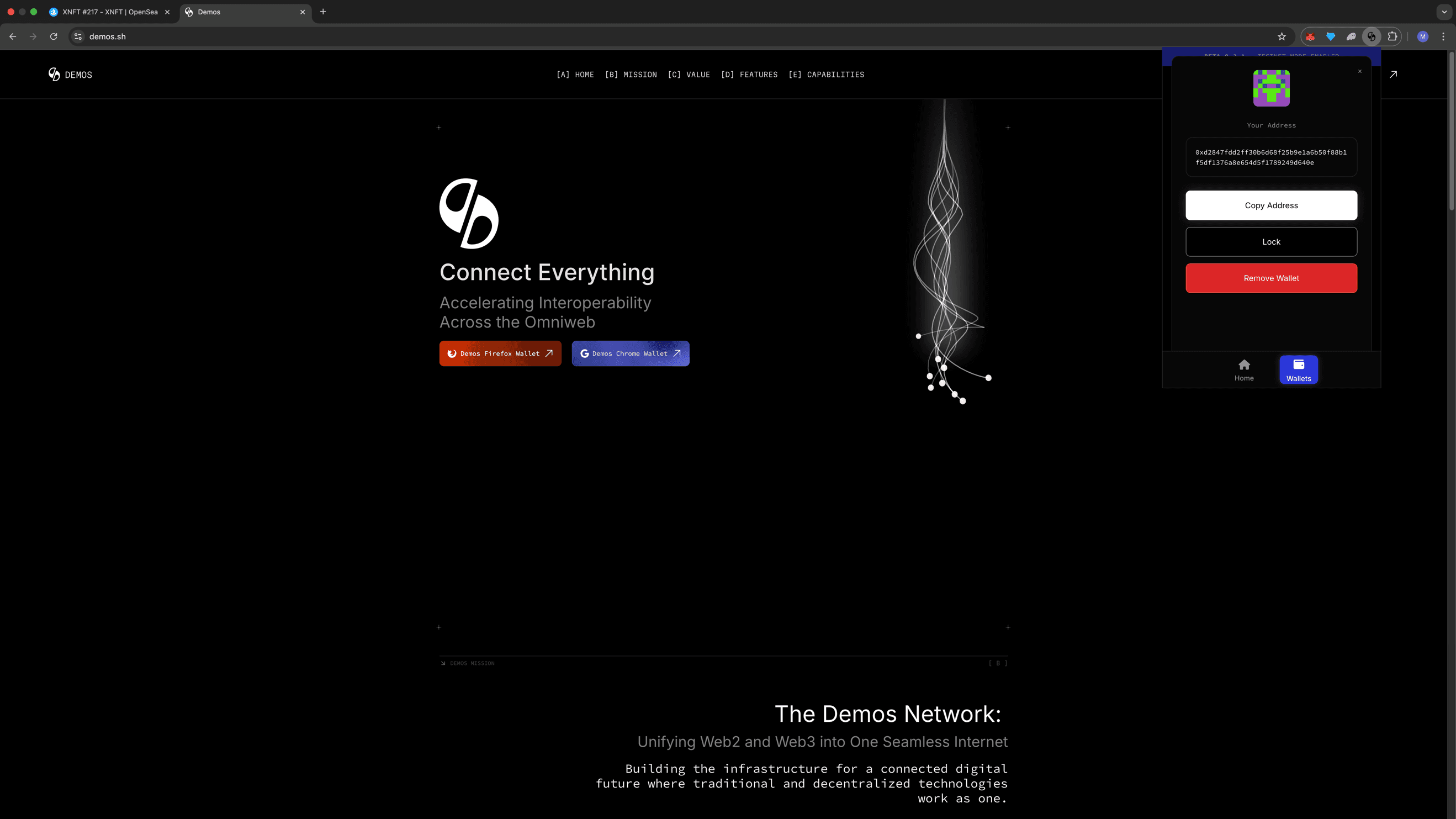
💡 Tip: Always double-check your address before pasting to ensure accuracy.
Step 4: Visit the Demos Faucet
Go to the official faucet website:
👉 faucet.demos.sh
This is the platform where you can request testnet $DEM tokens for development and testing purposes.
Step 5: Enter Your Wallet Address
Paste your copied wallet address into the input field labeled "Wallet Address" on the faucet page.
Make sure there are no extra spaces before or after the address.
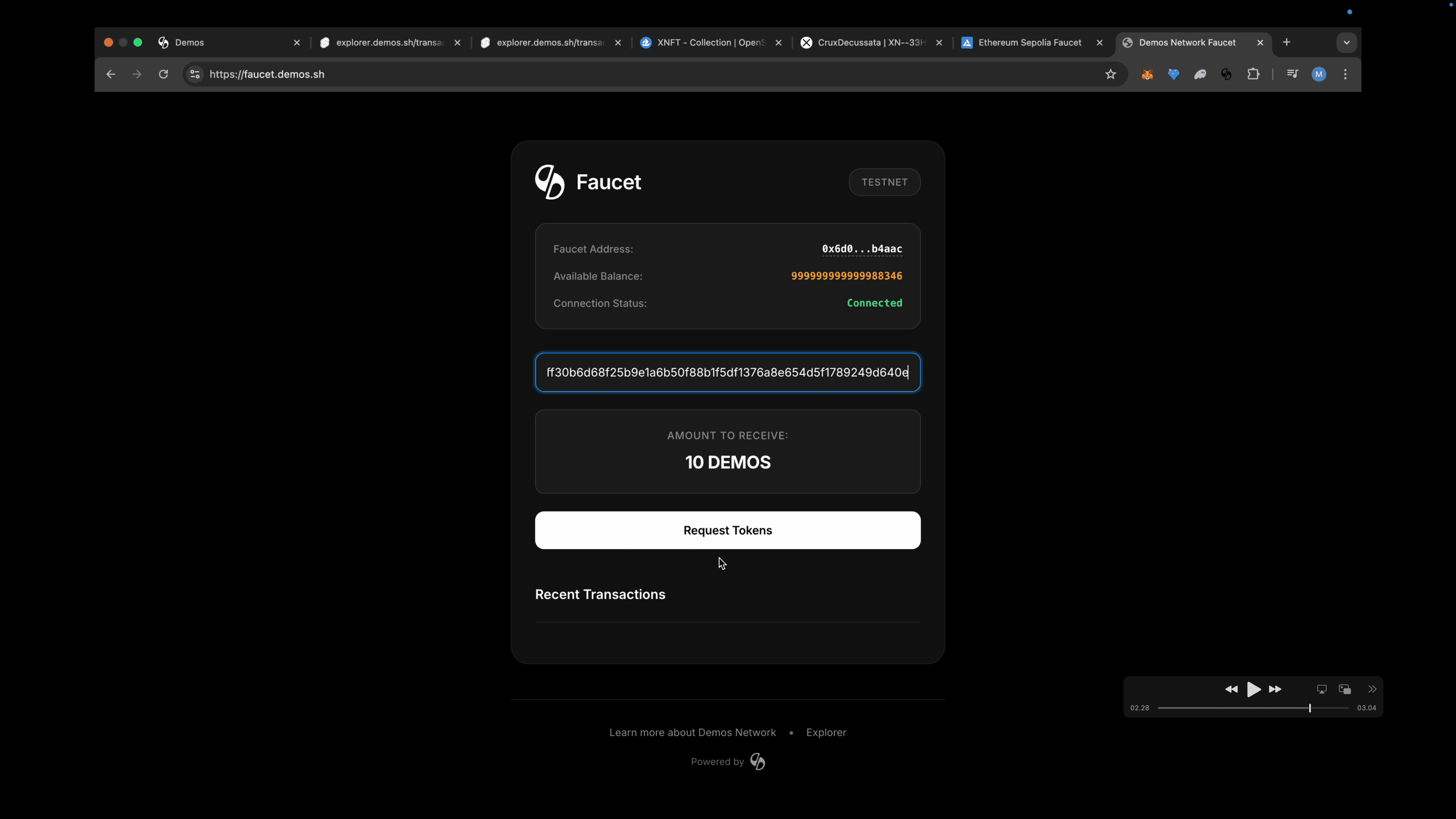
Step 6: Request Tokens
Click "Request Tokens" to submit your request.
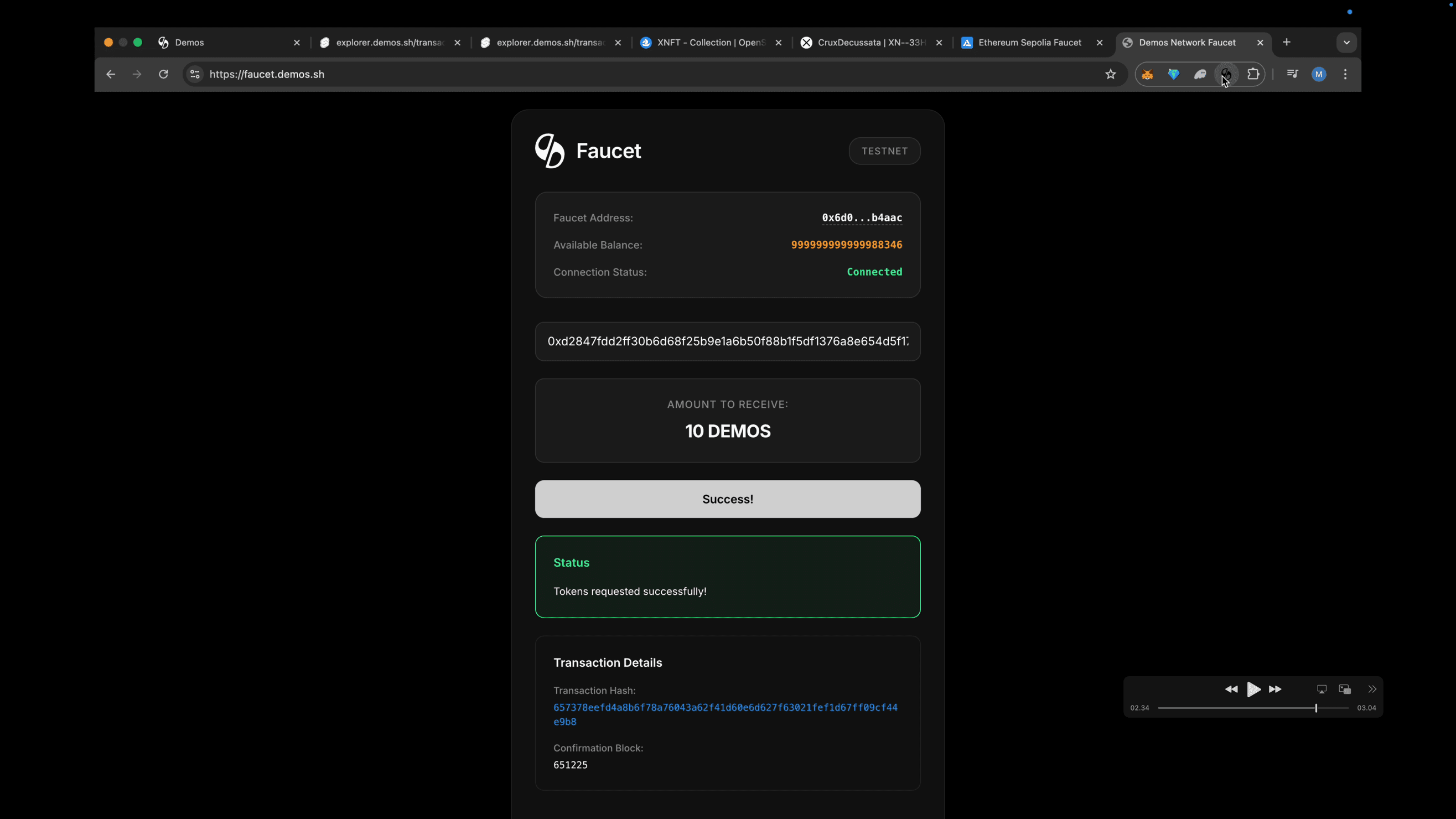
After a few moments, you'll see a confirmation message indicating that your testnet $DEM tokens have been successfully sent to your wallet.
✅ You're All Set!
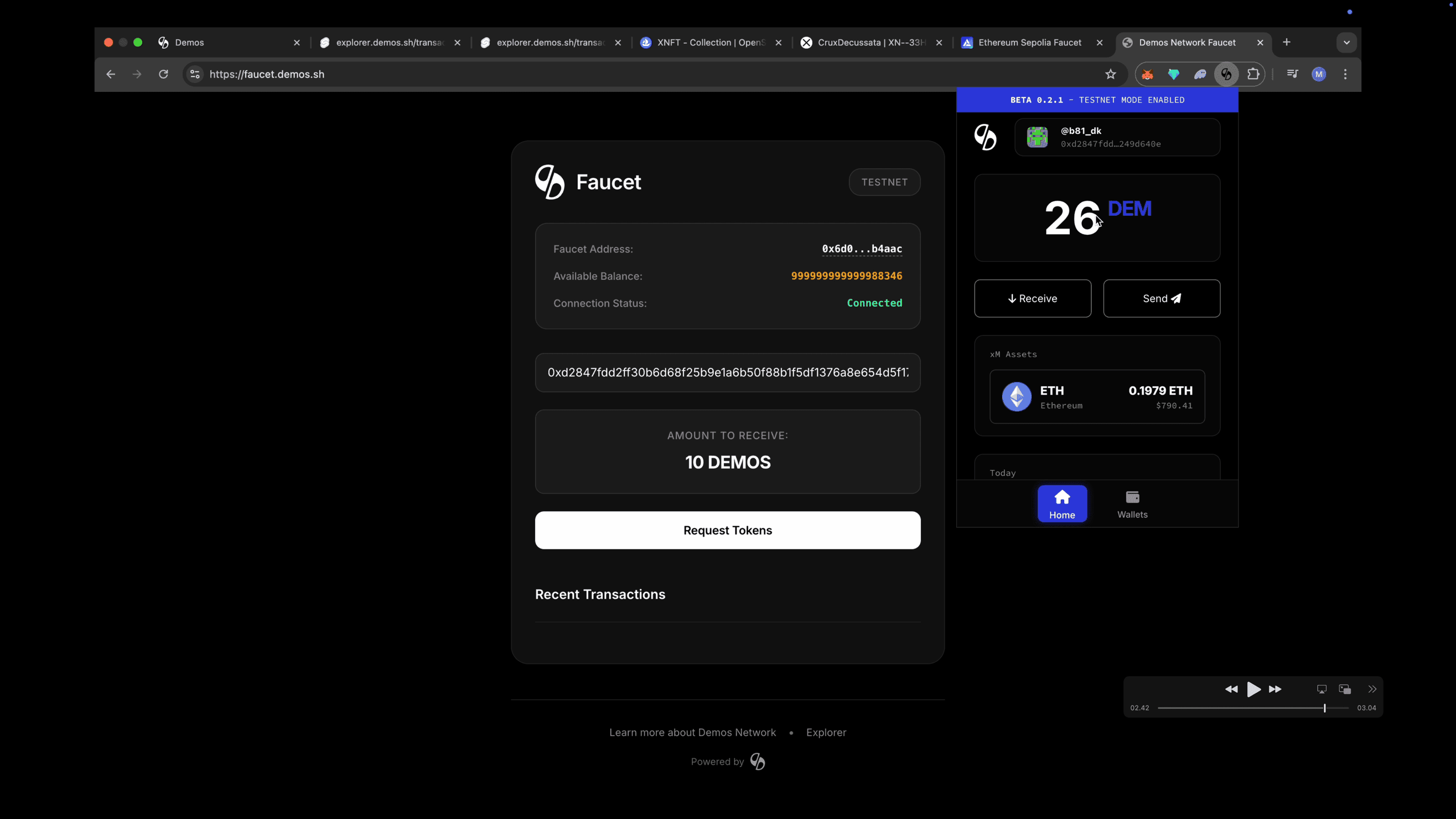
Open your Demos Wallet and check your balance — your testnet $DEM tokens should now appear.
You're ready to explore the Demos Network, test transactions, or interact with Demos apps on the testnet.
⚠ Note: Testnet $DEM tokens are for development and testing only. They do not hold real-world value.