⚠ Before You Begin
Make sure you are logged into your GitHub account before starting the process
🌐 Step 1: Access the Identity Hub
Go to 👉 https://identity.demos.sh
Log in by connecting your Demos wallet.
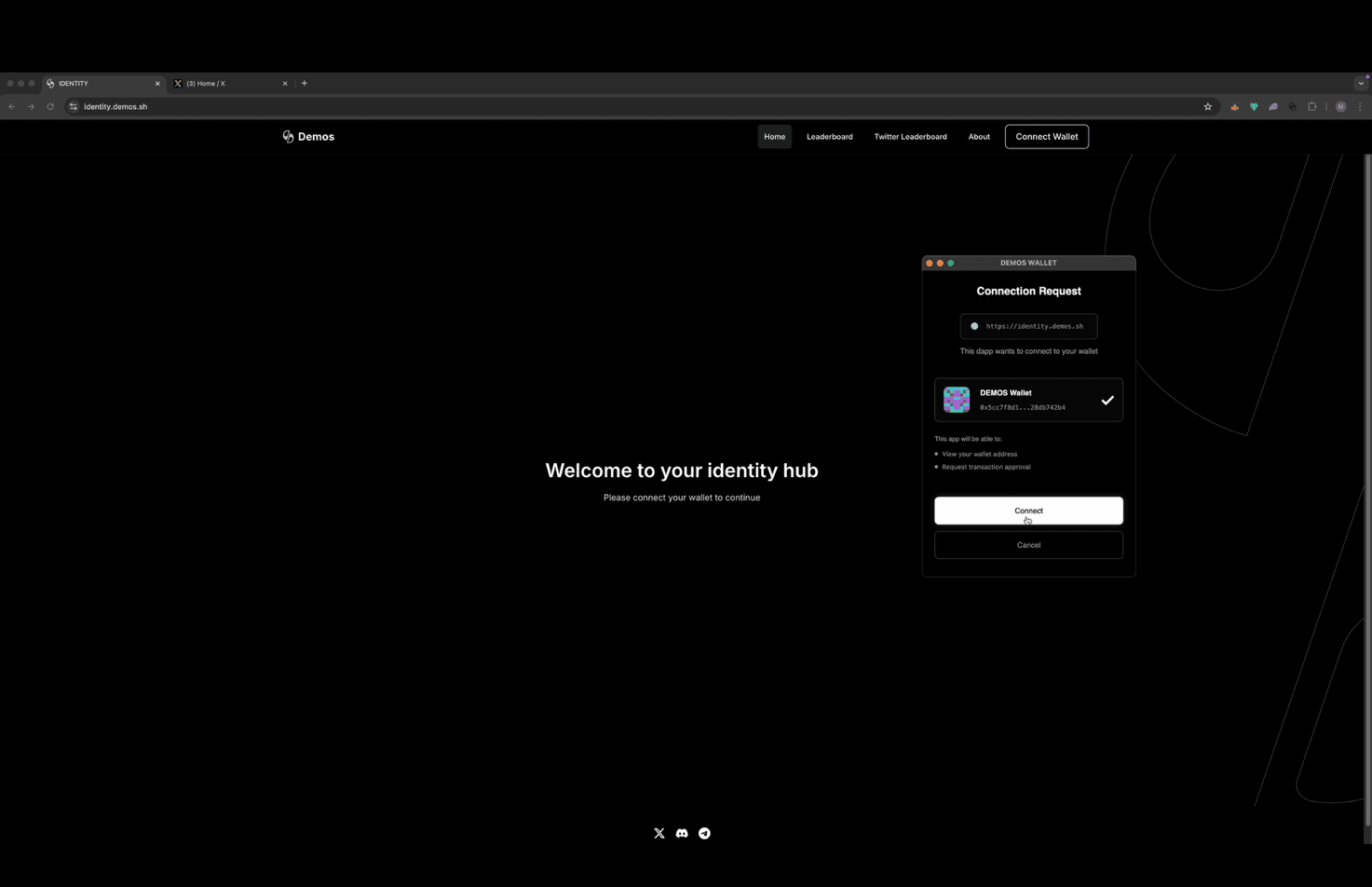
🧑💻 Step 2: Start GitHub Authorization
Click the "GitHub Account" box and select "Authorize."
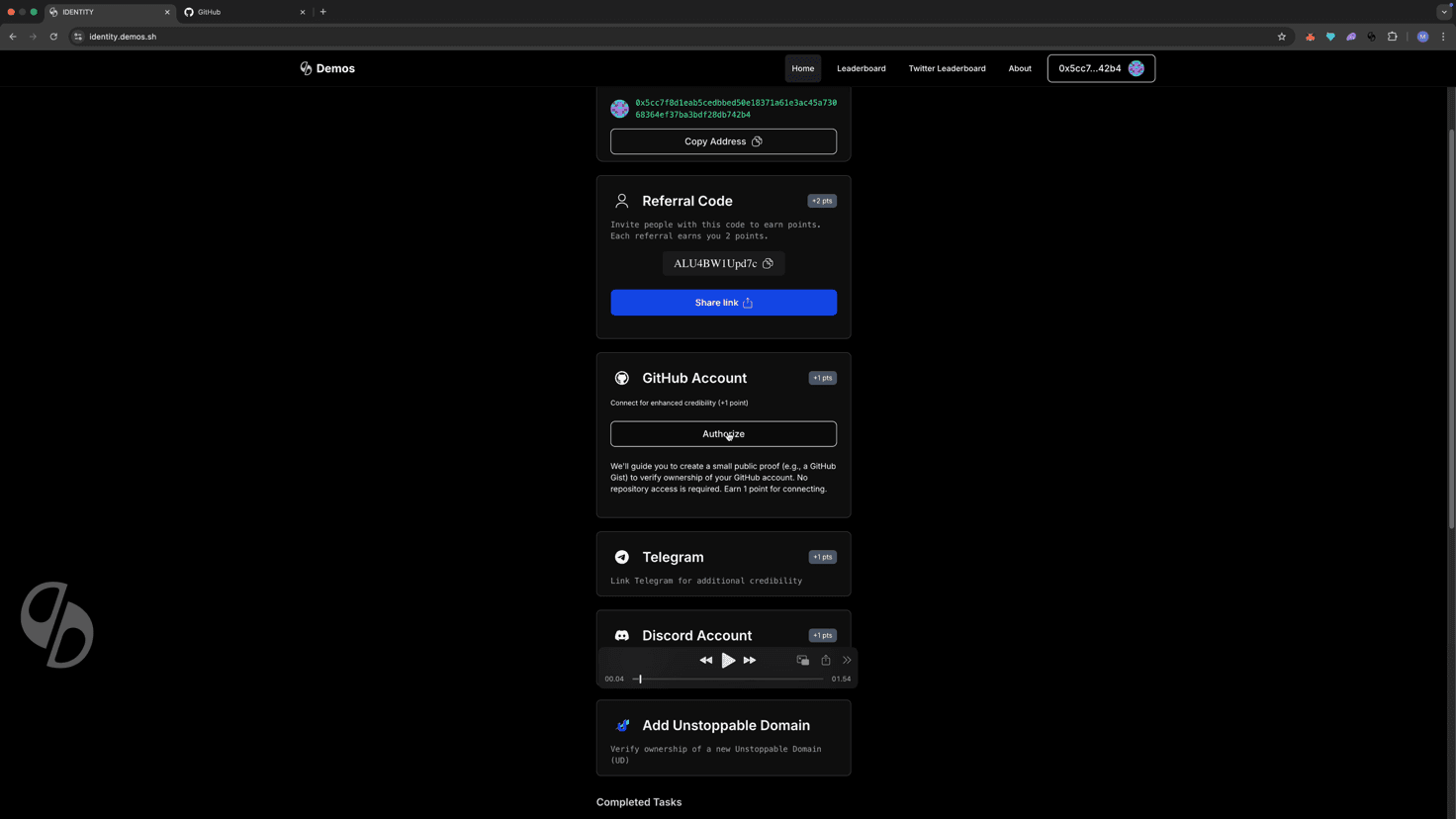
🤖 Step 3: Complete Human Verification
Complete the Cloudflare captcha to confirm you are human.
📝 Step 4: Open GitHub Gist
Copy the generated verification message, then click "Open Gist."
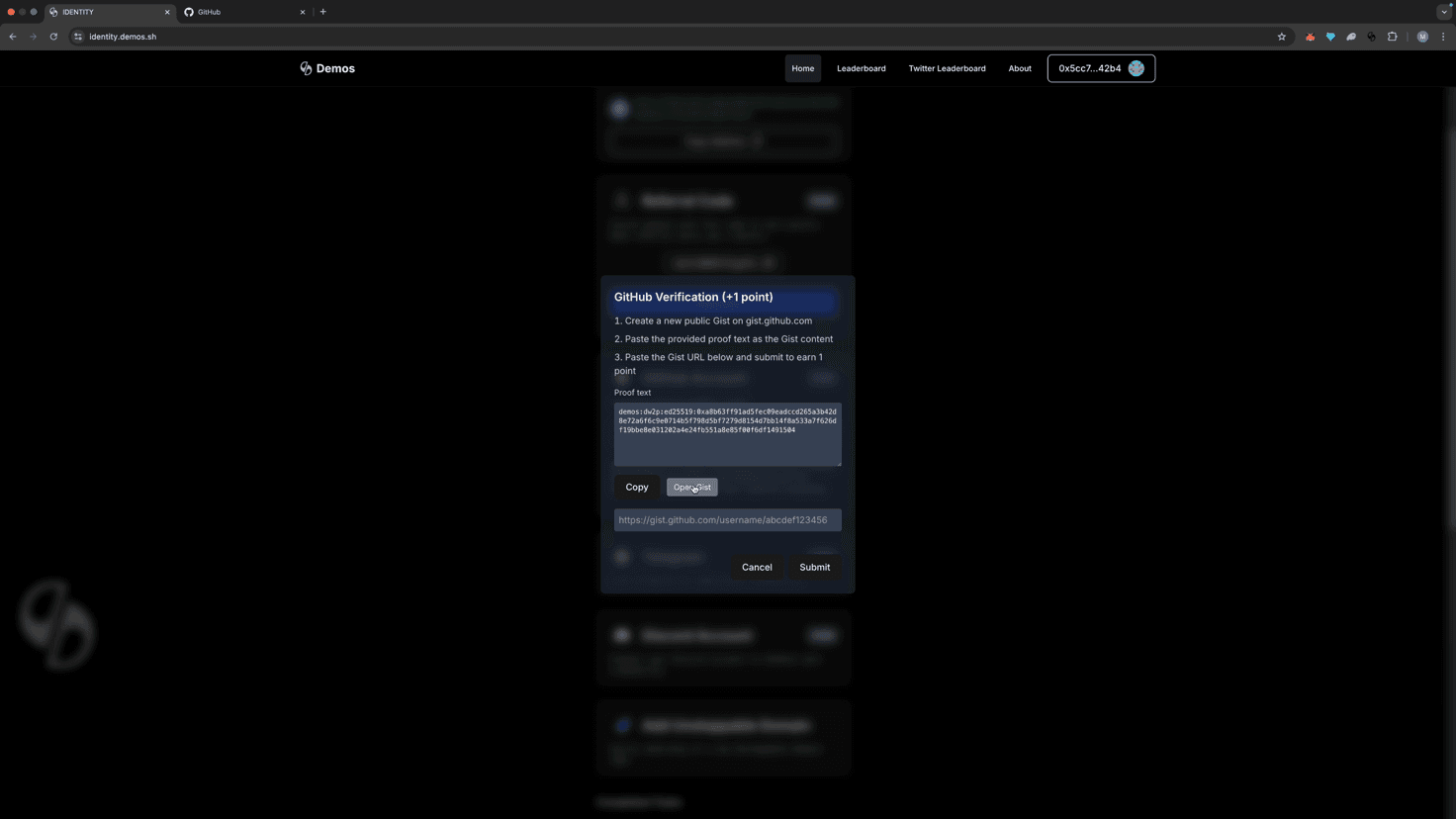
📤 Step 5: Publish the Gist
Paste and publish the message as a public Gist.
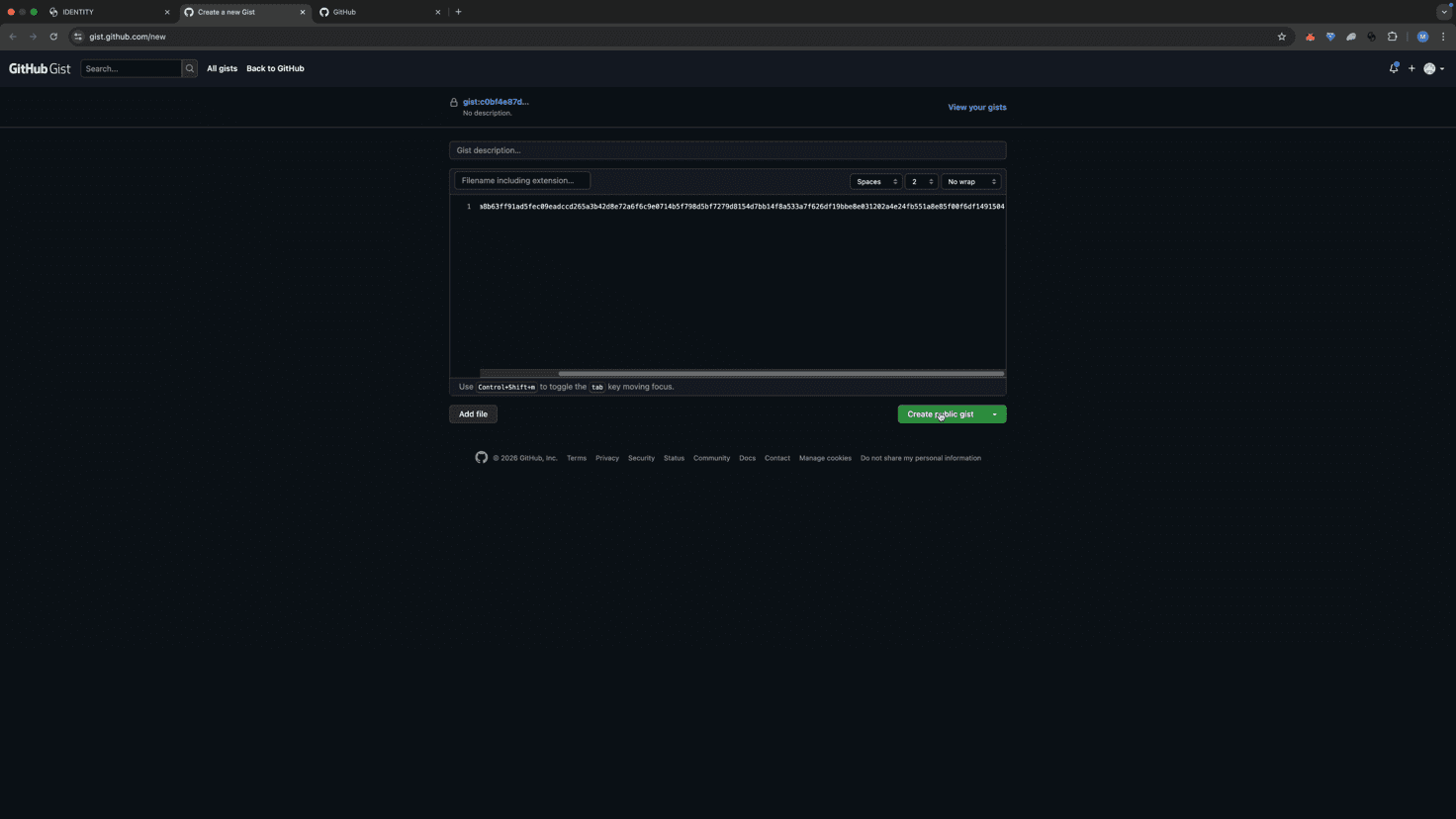
⚠ Private gists will not work.
🔗 Step 6: Copy the Gist Link
Copy the URL of the public Gist from your browser's address bar.
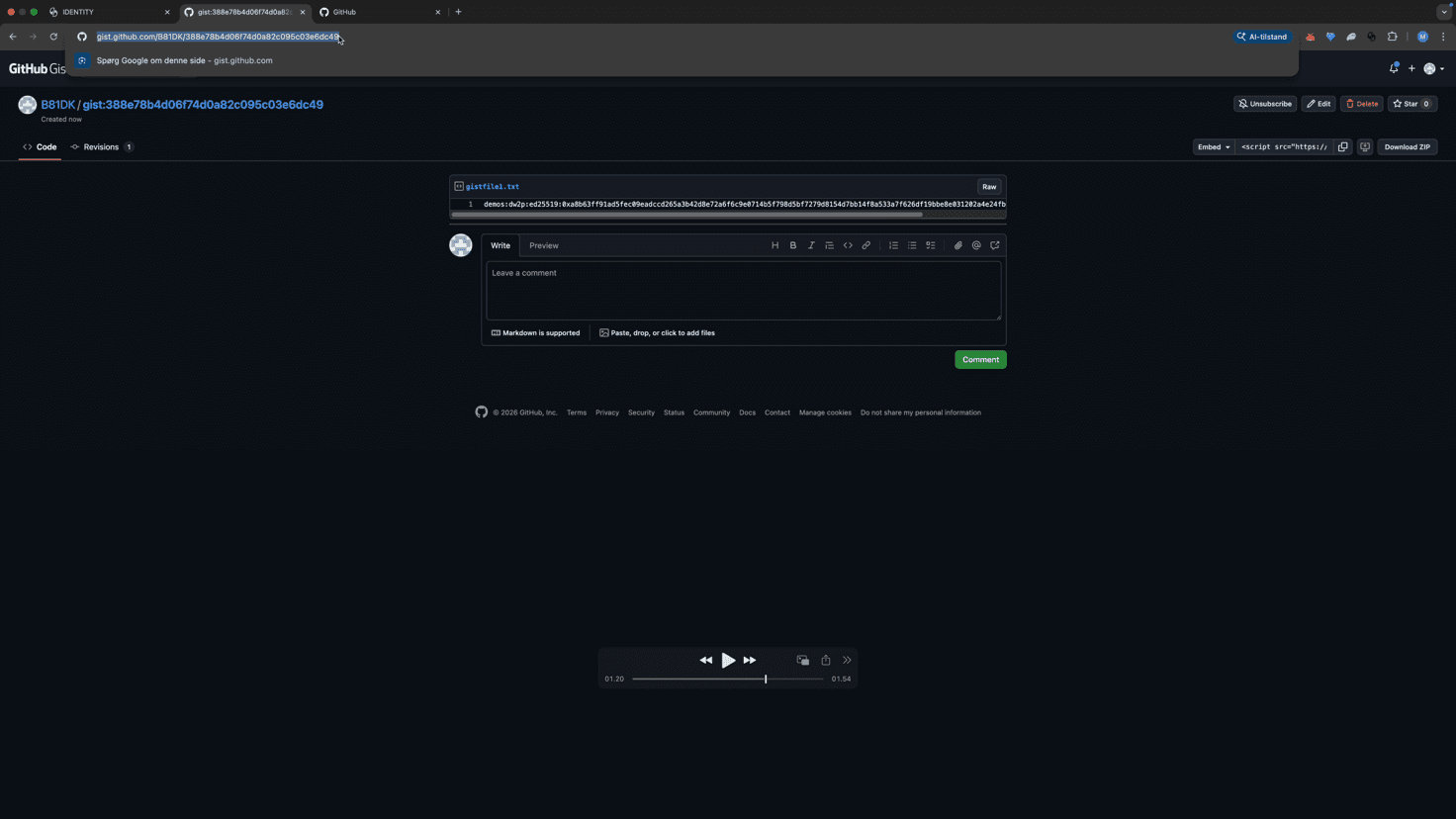
📥 Step 7: Submit the Link
Return to the Identity Hub, paste the Gist link into the provided field, and click "Submit."
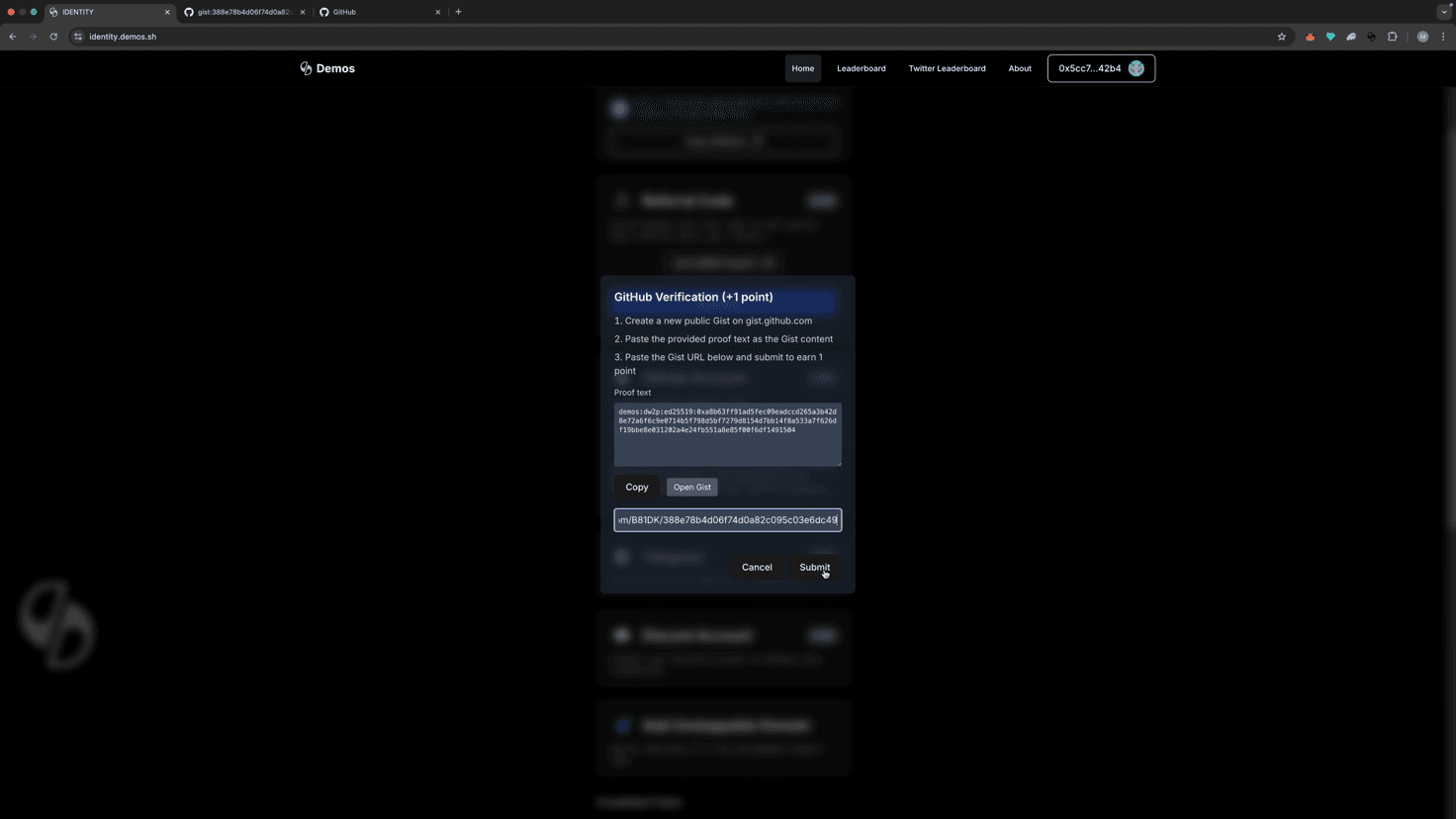
✅ Step 8: Confirm the Connection
When prompted, click "Confirm" to finalize linking your GitHub account.
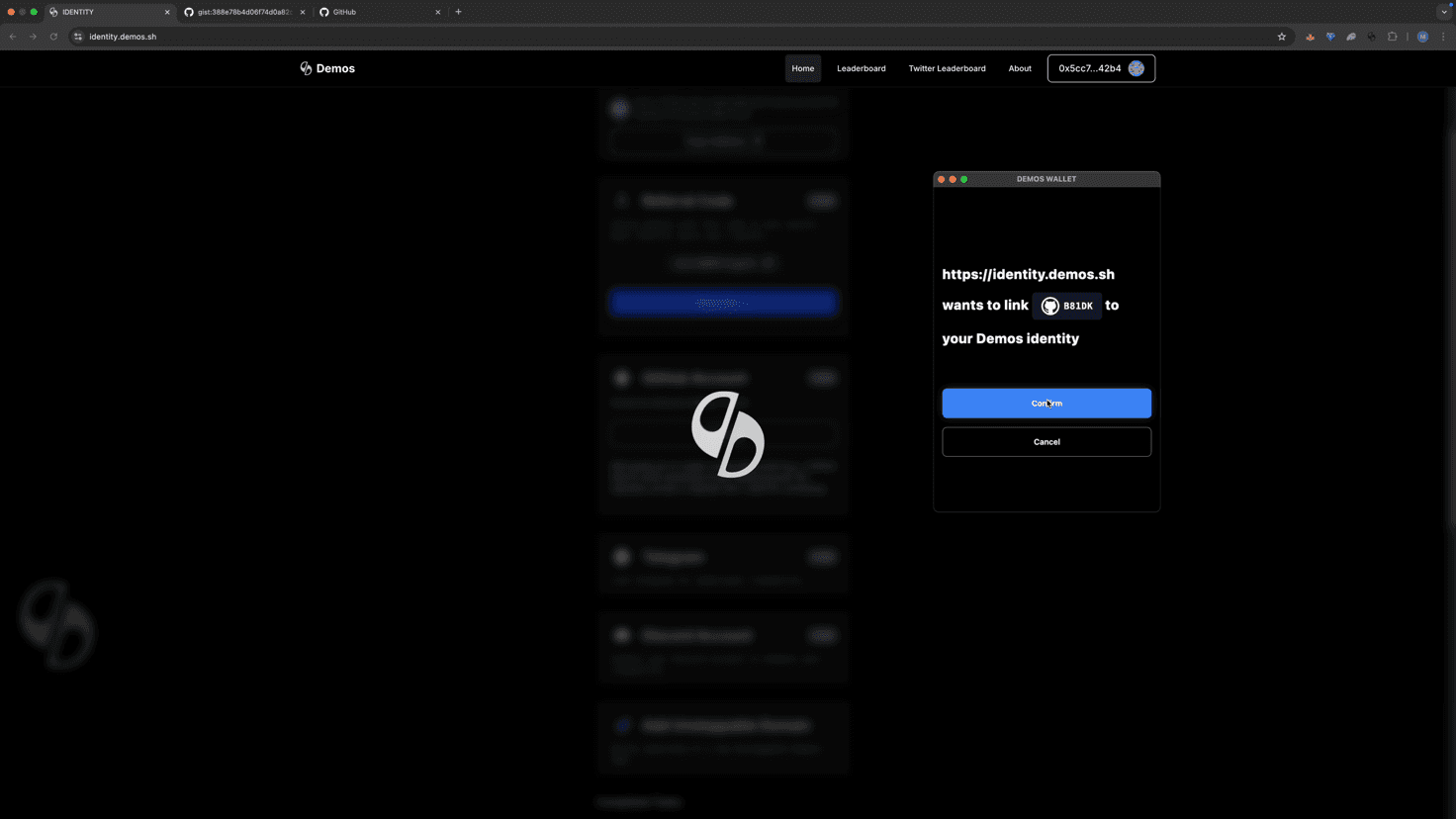
🎉 Success!
Your GitHub account is now successfully linked to your Demos Identity.
If verification fails, double-check that the Gist is public and that the correct link was submitted.